
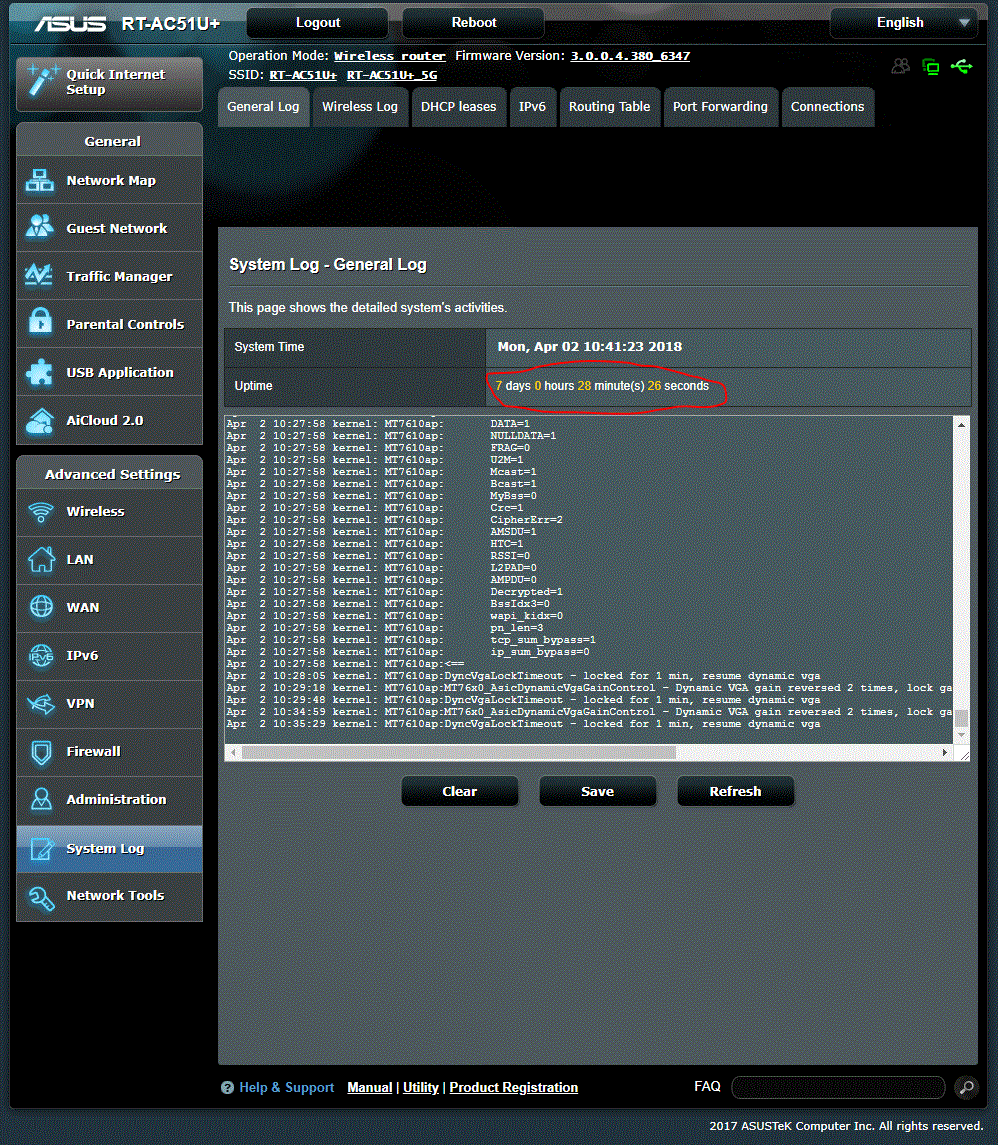
On my previous post, I’ve mentioned about the poor bandwidth offered by Streamyx and how frustrated I was using Streamyx. Well, I have come to a solution to try on 4G/LTE Android Phone Tethering . So, I tested on running 4G on Android Phone Tethering with my new ASUS router for 7 days, there is no over-heat on the phone nor on the router and my android phone was full charged all this time.
As you know , majority of people today have more than a mobile phone and I believe that more than 50% of them still keep their additional old android phone with them. Hahahahaha, thanks to the low resales value of android phone, people rather keep their old android phone even when they purchased a new phone.
Before running the test, our main concern is the speed (bandwidth). Will 4G Android Phone Tethering reduce the speed compared using 4G directly from our mobile phone? Well ,this could be verified by running speed test on mobile phone V.S. client’s connected to router with 4G Android phone tethering enabled.
Here, a speed test result that I tested between mobile phone and PC that connected to the 4G Android Phone Tethering enabled router.
Speed test on mobile phone: UL 65 Mbps, DL 40 Mbps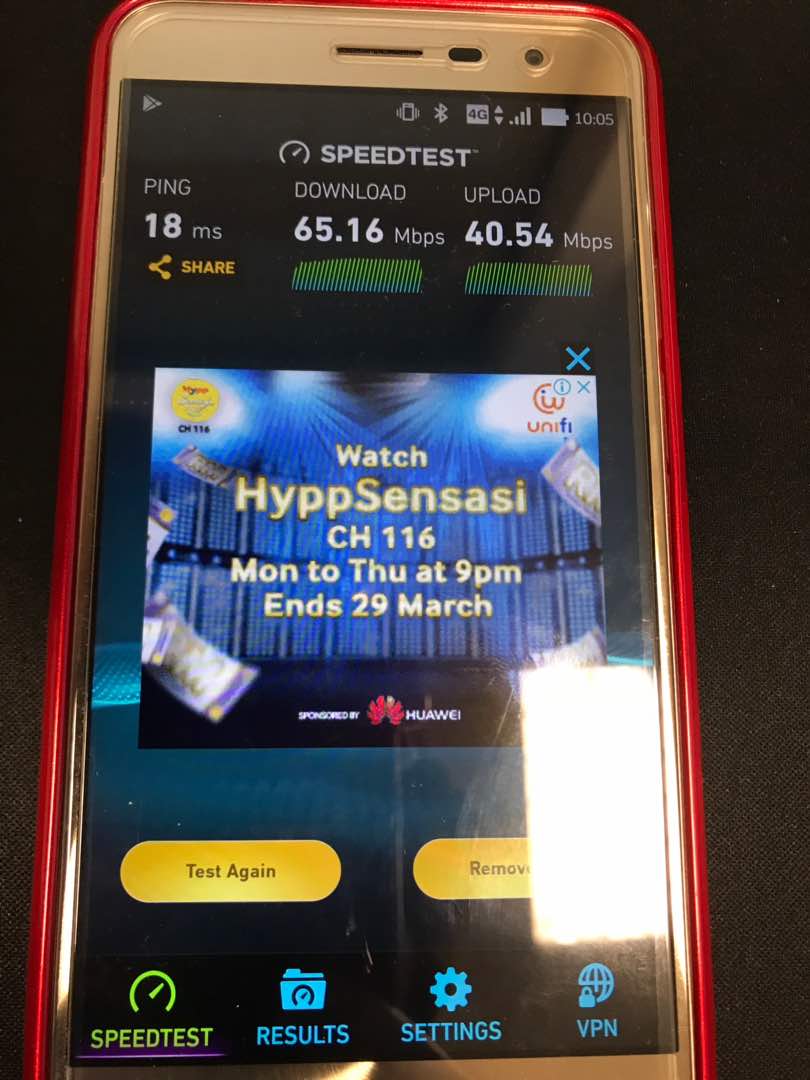
Speed test on PC that connected to 4G Android Phone Tethering enabled router: UL68 Mbps, DL 32 Mbps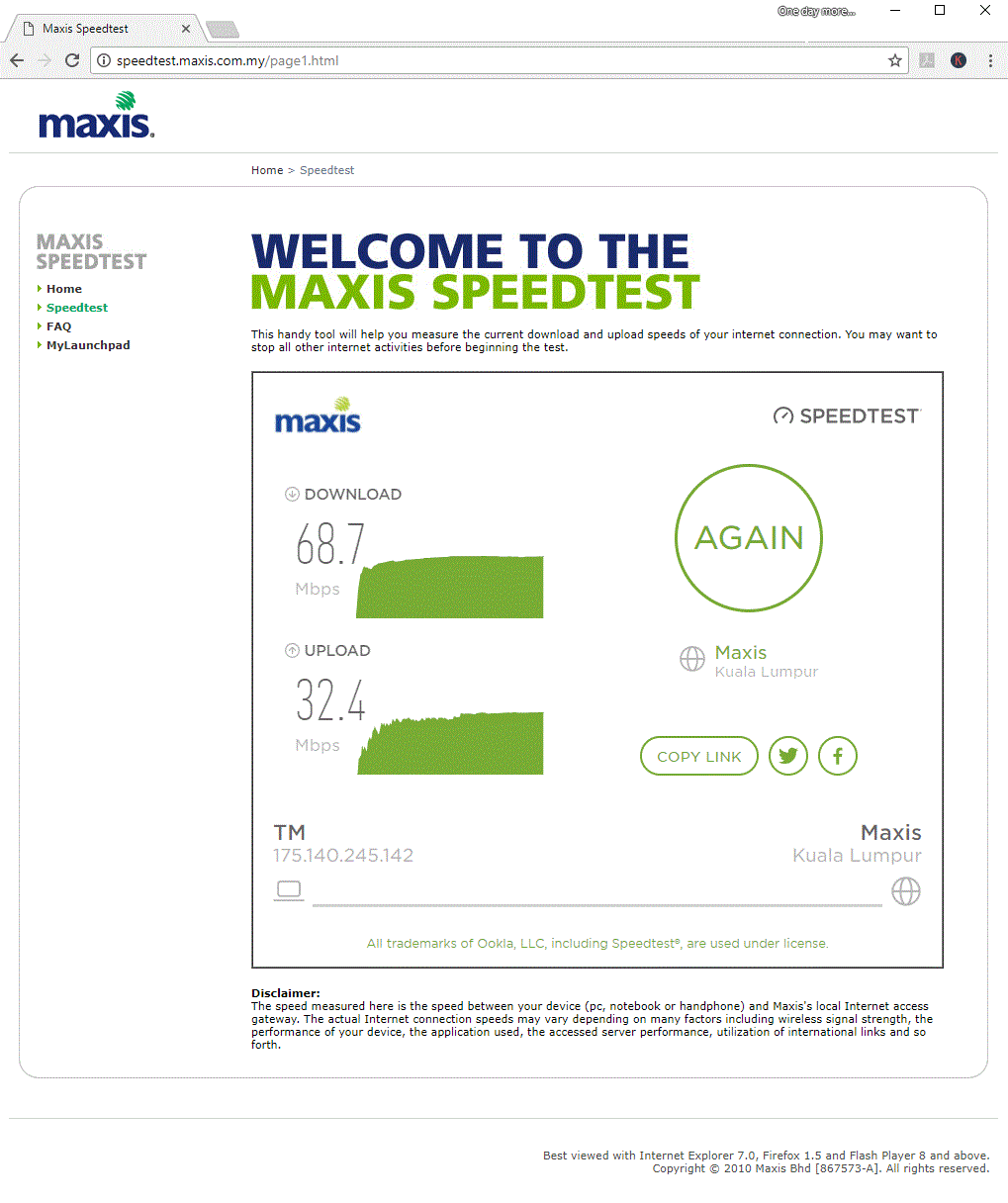
I’m quite happy with the result. The speed test from my Mobile phone and client’s connecting on 4G Android Phone Tethering is not much of big differences.
Moving forward , I will go through on how to setup and enable 4G Android Phone Tethering on ASUS roters and it only takes less than 5 minutes to complete the setup. Yes ! ITS THAT’S SIMPLE !
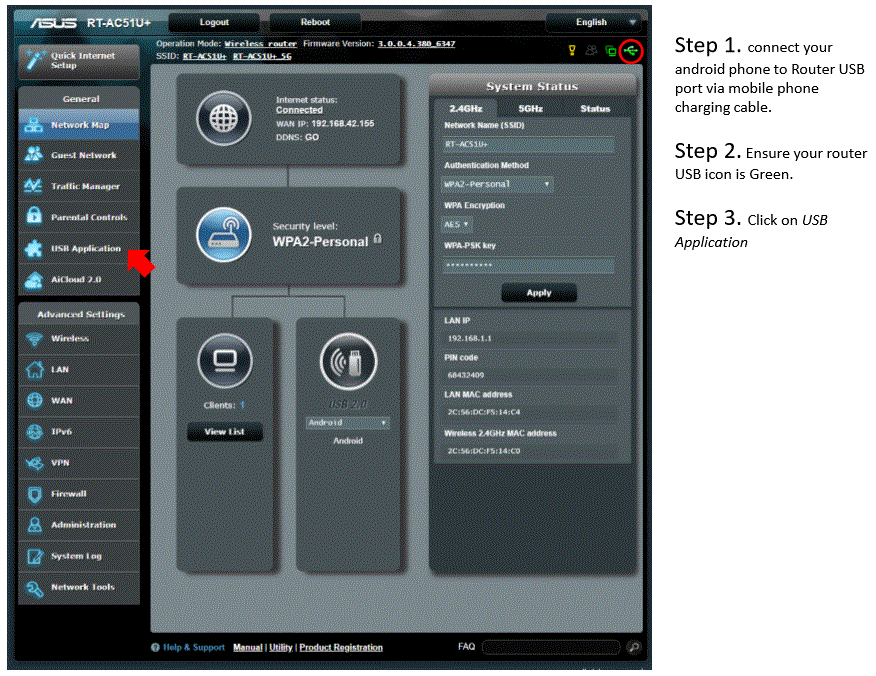
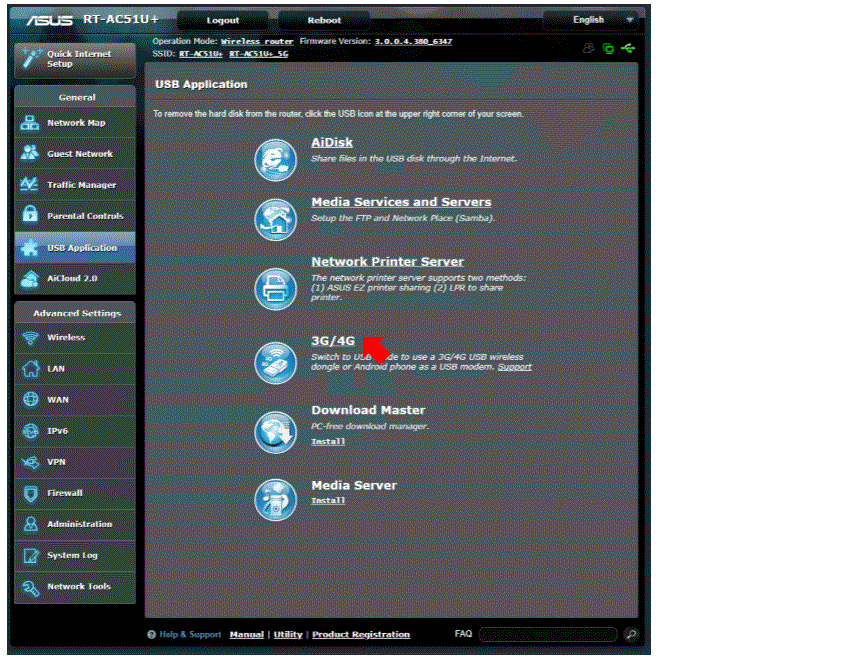
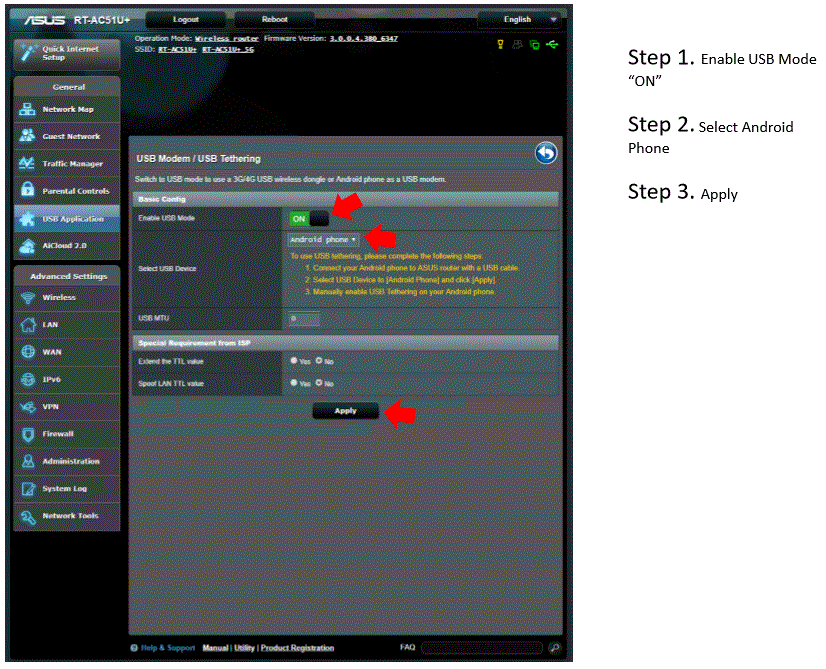
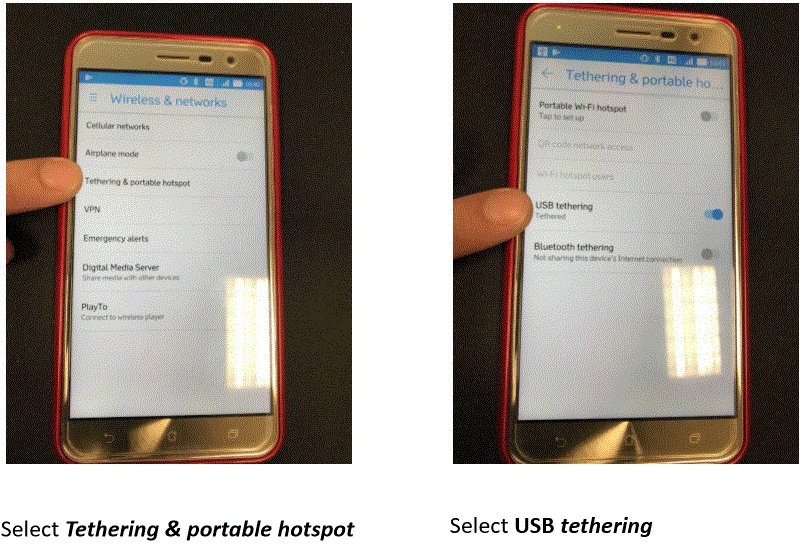

ASUS supported 4G Android Phone Tethering models:
- RT-AC51U+
- RT-AC1200G+
- RT-AC58U
- RT-AC1300UHP
- RT-AC66U
- RT-AC68U
- RT-AC86U
- RT-AC88U
- RT-AC87U
- RT-AC3200
- RT-AC5300
- GT-AC5300
- BRT-AC828
Lastly hope you enjoy~ thank you.